

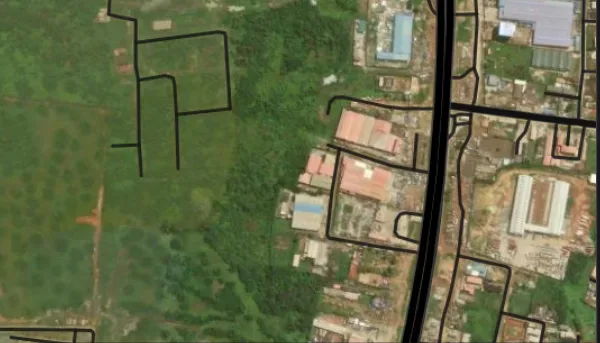
The initiative is designed to improve address verification and support services such as deliveries, logistics, emergency response, financial services and government service delivery.
Users can search for buildings using available address details, place names, postcodes or aliases. The platform also displays some informal address descriptions, including names used by local residents to identify particular properties.
Here is how to find your digital postcode and check the address details linked to your building.
1. Visit the official NIPOST postcode website
Go to postcode.gov.ng and select the option to find your postcode. You can also use the NIPOST Postcode mobile application. The official website lists the Android application on Google Play, while its iOS download option has been listed as coming soon.
2. Search for your home address
Enter the information you have about the property, such as the house number, street name, neighbourhood or another recognised location detail.
You may also search using a place name, an existing postcode or an alias where that information is available.
Choose the result that appears to match your address and check its location on the map.
3. Confirm that the map identifies the correct building
Do not rely on the written address alone. Compare the selected building with nearby roads, neighbouring properties and recognisable landmarks to ensure that the result corresponds to your intended location.
This step is important because buildings situated beside one another may have different digital postcodes.
Once you have selected the correct building, the platform displays its assigned postcode, which you can save or share.
4. Check whether your name appears in the address description
Some users have noticed that homeowners’ names appear in certain property records on the platform.
NIPOST Postmaster-General Tola Odeyemi explained that officials captured both formal and informal addresses during field data collection. In some communities, people commonly identify buildings by the names of their owners rather than by street names or house numbers.
To check the description associated with your home, search for the property and examine the address information displayed with the result. You can also try searching for a name if it is commonly used to identify the building.
However, a name not appearing in the search results does not necessarily mean that the property is missing from the database. The digital postcode is assigned to the building, not to its owner or occupants.
5. Use your phone’s location feature
If you are at or near the property, the mobile application offers another way to find its postcode.
Open the app, select “Find My Postcode” and grant location access if prompted. The application will use your device’s location to show the surrounding area on a map.
Identify the correct building and select it to retrieve the corresponding code. Check the map carefully before using the result, particularly where several properties are close together.
6. Request a postcode or report incorrect information
If your building does not appear on the platform, search carefully using different available address details before submitting a request.
NIPOST allows users to request a postcode for a missing building through the official website or application. Providing the address and a Google Maps link, where available, can help officials identify the location.
If the platform displays incorrect information, use its correction or suggestion feature to submit the proposed change. Requests are subject to review before records are updated.
7. Understand how the digital postcode works
The new system provides a location reference for a particular building. It does not replace the building’s written address, nor does it function as a personal identification number.
People living or working in the same building can use the same digital postcode alongside their regular address. If someone moves to another property, they should use the code assigned to the new building.
NIPOST says individuals can find, save and share digital postcodes for free through the official platform.
The new system is intended to reduce the difficulties associated with vague directions and incomplete addresses, while making it easier for businesses, delivery services and public institutions to identify locations.
Residents are advised to confirm the building shown on the map before using or sharing its postcode and to rely on the official platform for accurate codes rather than attempting to create one themselves.
Reporting by TalkNaijaMedia





Reader Comments (0)
No comments yet. Be the first to share your perspective on this report.